Uploading Images
Please only upload images to an album 🤩
Don't upload them directly to your photo library, its not fun, trust me.
Uploading images to a link based album.
Open the link to the album, and find the add images button in the top section of the interface. Upload the images from your photo libary, or from files on your computer.
Uploading images to an album when logged in.
Log into the Immich website at https://duly-exes-radial.ngrok-free.dev. Navigate to the albums section in the left hand side menu, and chose the album you want to upload images to. If you need to create a new album, see the next section.
Creating an Album
Create an Album for people to upload pictures to.
Open Immich website at https://duly-exes-radial.ngrok-free.dev. Navigate to Albums on the left hand side menu. Press create album in the top menu, and add a name and description. See sharing instructions in the next section.
Sharing Albums
Share an album so people can view it and upload to it.
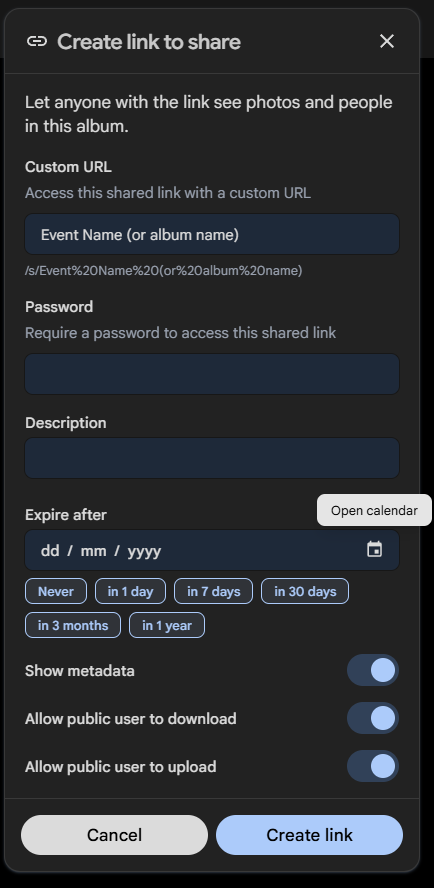
Create your album as per the instructions above. With the album open, press the share button in the top right of the interface. Press Create Link at the bottom of the popup menu. Add the name of your event to "Custom URL", and ensure you enable "Allow Public User to Download", and "Upload". You can also add users with Immich Accounts, and the album will appear on the website for them.